Campaigns that reach the right audience.
Choose your audience, create your message and schedule the campaign. Test versions before the wider send, then measure clicks and conversions.
Reach exactly the audience you intend.
Choose who gets each campaign, leave out who shouldn’t, and see who can be reached before you send.
Lists, segments or rules: target all contacts, lists, segments or campaign rules you can save as a segment.
Don’t send to: exclude lists or segments even when contacts match your main audience.
See who’s left out: check reach and exclusions for missing consent, unsubscribes, suppression or missing devices.
Schedule for each customer’s local time.
A send in each contact’s time zone runs over about 26 hours, so everyone gets it at the same clock time.
Local time: send at each contact’s local time or to everyone at once.
Quiet hours and message limits: hold marketing overnight locally, and skip or delay contacts who’ve heard from you too often.
Unschedule or cancel: unschedule to edit; cancelling stops messages before handover to the sending service.
Test your campaign before sending.
Try versions on part of the audience, send realistic tests and catch problems before anyone else sees them.
A/B tests: up to four versions of an email or push on part of the audience; the version with the best click, tap, conversion or open rate goes to the rest, or you choose.
Realistic test sends: test with real contact data using yourself, teammates, saved lists or your phone.
Pre-send checks: flag Gmail clipping, missing personalisation data, and incomplete sender or postal details.
Additional features
Topics
Let people leave one topic while keeping your other email.
When the time has passed
If the local send time has passed, send now, the next day or not at all.
Approval for larger sends
Leave sending to admins and the owner, or let members send campaigns below a size you set. For a larger one, a member asks an admin to send it, with a note.
Campaign calendar
See scheduled and sent campaigns by date to spot clashes.
What A/B tests can change
Test email subjects, previews, sender names or designs; notification titles, messages or images.
Inbox-list preview
Check how your sender, subject and preview text appear together.
Content warnings
A note on anything worth a second look before sending: an email that’s mostly images, link shorteners, link text that shows another domain, a subject in capitals, or heavy images.
Emails in your brand’s colours and fonts
Design from templates or review a campaign draft from Kiro AI.
Push to iOS, Android and web
Give your campaign its own notification title, message and link.
In each contact’s language
Send translated versions by contact language, with the main message as fallback.
Link tags
Add UTM tags to every link to identify campaign visits.
Duplicate and archive
Copy campaigns into drafts and archive finished ones.
Delivery and engagement
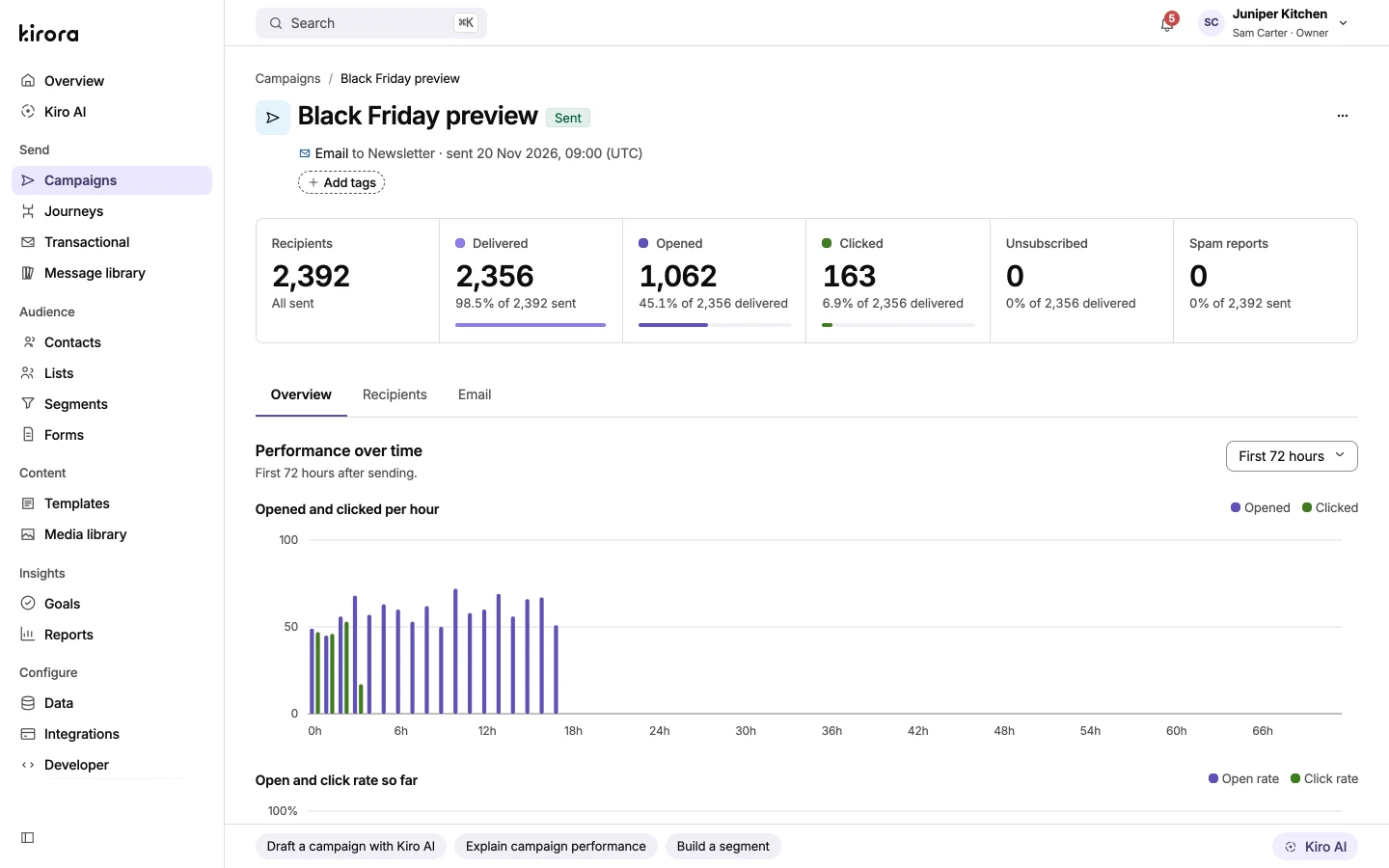
Review email statuses and engagement, plus notification reach, opens and clicks.
Top clicked links
Which links got the clicks, with personalised links counted as one.
Every recipient
Find each recipient’s message outcome or exact reason for being skipped.
Conversions and revenue
Track conversions and attributed revenue under each campaign’s conversion goal.
Campaign questions
Can I send at the same local time everywhere?
Yes. Choose “At this time in each contact’s time zone” and everyone gets it at that clock time where they are. Contacts without a time zone get your workspace’s.
How do I keep certain people out of a campaign?
Use Don’t send to: anyone in the lists or segments you choose is left out, even if they’re in the audience. Kirora also leaves out anyone without consent, unsubscribed or suppressed.
Can I test a campaign before sending it?
Yes. Send tests to yourself, a teammate or a saved test list, filled in as a real contact, and A/B test up to four versions of an email or a push on part of the audience, even when it sends in each contact’s time zone.
Can a manager approve a campaign before it goes out?
Yes. You can leave sending to admins and the owner, or let members send campaigns below a size you set. For anything larger, a member asks an admin to send it from the campaign, with an optional note, and admins and the owner are notified.
Can I stop a campaign once it’s sending?
Yes. Cancel it from its page: messages not yet handed to the email or push service stay unsent, and the report is kept.
Do campaigns include push notifications?
Yes. A campaign can send email, push or both, to your iOS, Android and web apps.
Resources to get started. Guides and pages that go further.
Create a campaign
Choose an audience, add email or push content and prepare a campaign for review.
Schedule and send a campaign
Review audience readiness, send now or schedule by time zone, and manage sending delays.
Test and preview a campaign
Check personalisation and layout, then send test email or push messages before launch.
Segments
Build the audience.
A/B testing
Compare versions before the wider send.
Reports and revenue
Measure engagement, conversions and revenue.
Launch your next campaign with Kirora.
Create a free workspace, verify your sending domain and import your contacts. Then build your first campaign or welcome journey and review it before it sends.
See our Acceptable Use Policy, Terms and Privacy Policy.