Customer details, activity and consent in one profile.
Import contacts or connect your app, then use what each profile holds to personalise messages, build audiences and trigger journeys. Every contact keeps its consent history.
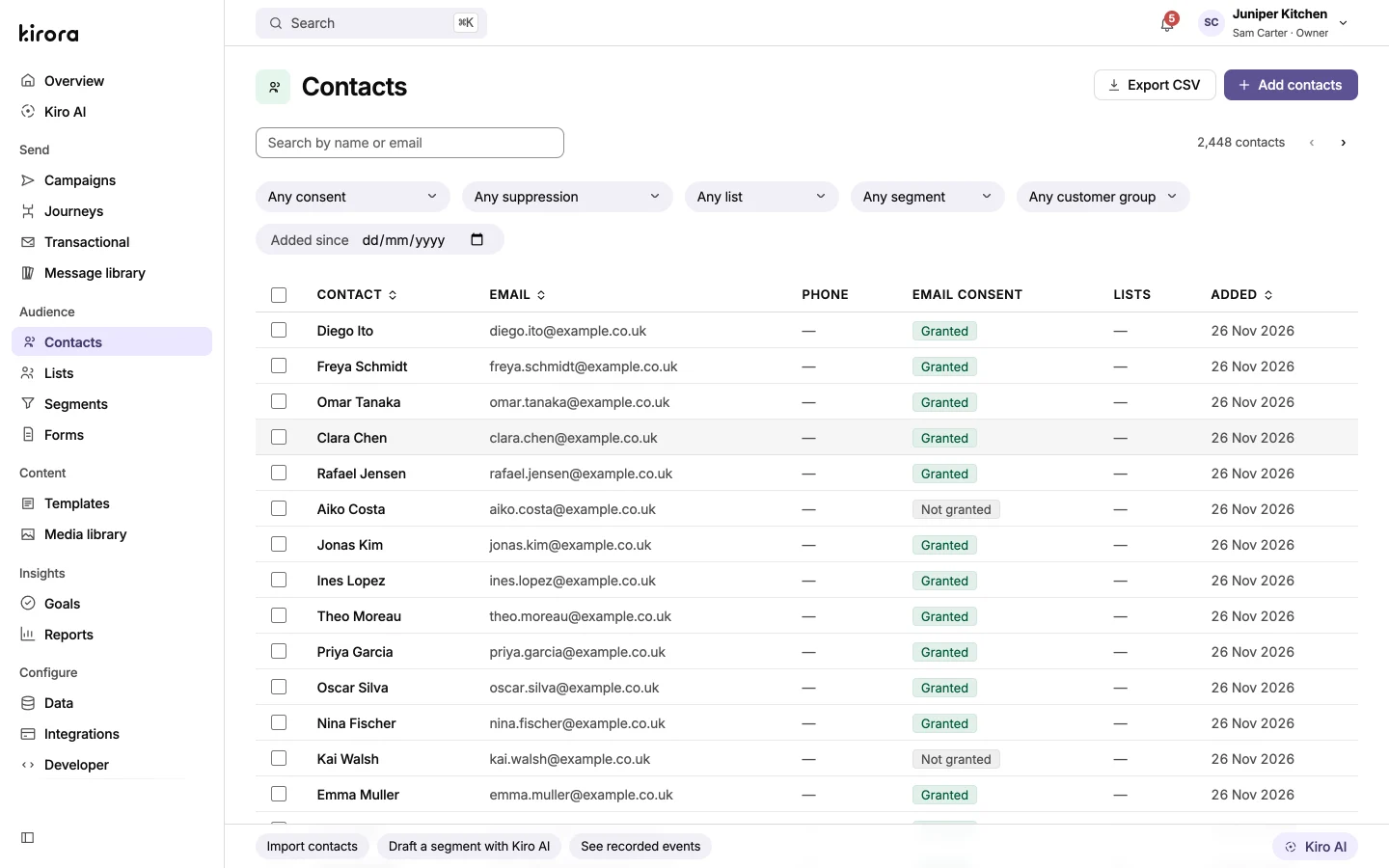
Everything you know about a customer, in one profile.
Details, dates and activity on one profile, ready to personalise messages and start journeys.
Details and attributes: store IDs, contact details, location, language, time zone and up to 50 custom attributes.
Dates that drive messages: birthdays, renewals and anniversaries, with or without a year, ready for date-based journeys.
Activity timeline: follow messages, events, consent, signups and journeys, including bounce reasons and server replies.
Consent recorded on every contact.
Each channel’s permission is kept with its source and history, and marketing checks it before it sends.
Consent per channel: keep separate permissions, sources, times and supplied evidence per channel, with suppression alongside.
Consent history: keep every opt-in and opt-out with who made it, for audits and data requests.
Topics by channel: choose topics separately for email and push; leaving one keeps the others.
Additional features
Attributes of every kind
Store text, numbers, booleans, dates and lists, up to 50 per contact.
Customer groups
Group customers daily by purchase recency, frequency and value using chosen events.
CSV imports
Map CSV columns to fields, choose to add and update, only add, or only update, and say how your dates are written. Phone numbers and country names are understood.
Kept in sync
Sync profiles through the API, SDKs and integrations.
Where each contact came from
See how every contact was first added: a form, an import, an integration, the API or your team. Filter and segment by it.
Merge duplicates
Combine profiles while keeping history, lists and suppressions.
Bulk actions
Update lists or attributes, suppress or export all contacts matching filters.
Suppression lists and blocklists
Import suppressions and block signups from specified domains or matching address patterns.
Lists
Add contacts manually, by import or through signup forms.
Segments
Build automatically updated audiences from attributes, behaviour and engagement.
Hidden attributes
Hide sensitive fields from team members while still using them in sends.
Contact questions
How do contacts get into Kirora?
Import a CSV, add people by hand, collect them with signup forms, or keep them in sync from your app, store or payment provider through the API, SDKs and integrations.
What happens to duplicates?
An import can add new contacts, update existing ones, or both. When one person ends up as two contacts, an admin or the owner can merge them into one, keeping their history.
How is consent recorded?
Per channel, with the source, the time and the evidence you provide. Signup forms record the wording people agreed to; imports and the API record what you send with them. Every change is kept in the contact’s consent history.
Can I bring my unsubscribes from another tool?
Yes. Import your old suppression list so those addresses stay protected, and block domains or patterns you never want on your list.
Can I export or delete a contact’s data?
Yes. Export everything held about one contact, or delete them, when they ask.
Resources to get started. Guides and pages that go further.
Contact attributes
Store custom customer details and use them in segments, personalisation and journey triggers.
Consent and unsubscribes
See how channel consent, topic choices, unsubscribes and suppression affect marketing eligibility.
Segments
Every kind of segment rule.
Forms and popups
Grow your list with consent.
Security and privacy
How data and access are protected.
Bring every customer into one profile.
Create a free workspace and import a CSV with each contact’s consent, or send contacts and events from your app. Then build your first list or segment.
See our Acceptable Use Policy, Terms and Privacy Policy.